
TapFast — pay with a tap
Fast phone payment by tap or QR code, with instant confirmation on the cashier's screen. We are building it now for the Rwandan market.
Overview
In many shops the queue does not stall while items are scanned; it stalls at payment and waiting for confirmation. TapFast makes paying a tap of the phone or a scan of a code, and shows the confirmation to the cashier at once.
What you gain
- A shorter queue at peak hours
- Confirmation the cashier does not wait for
- Phone payment with no card
What it does
Tap to pay
The customer holds their phone near the terminal and pays — no card and no long manual steps.
QR on the cashier's screen
The invoice is ready, the code appears, the customer scans it in the app and the amount is deducted.
Instant confirmation
“Paid” shows on the cashier's screen straight away, so the queue keeps moving.
Phone number while scanning
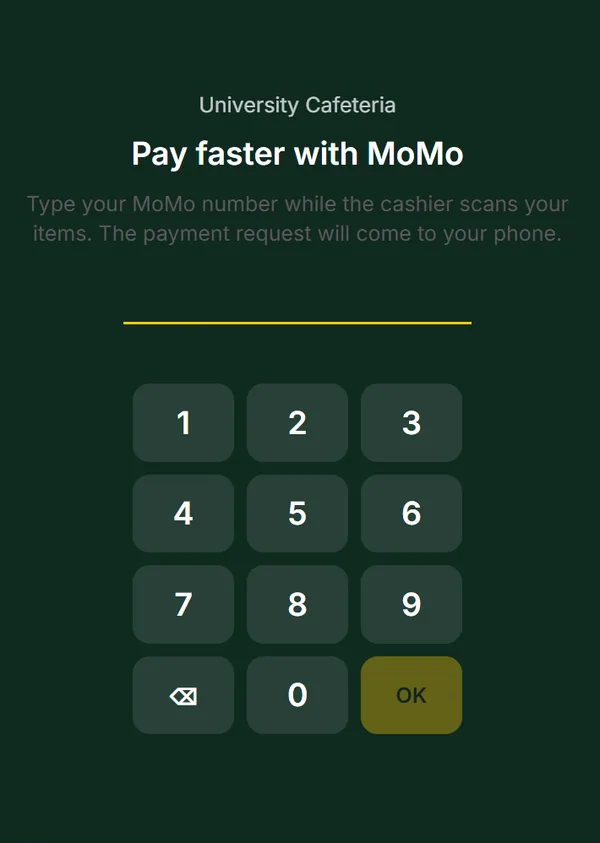
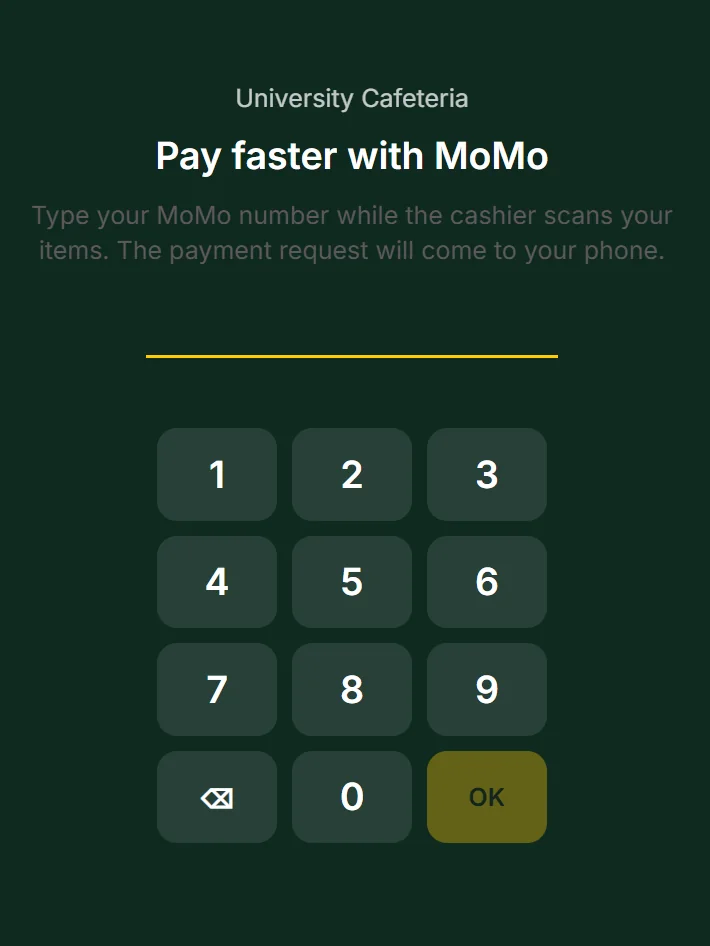
The customer types their wallet number on a screen in front of them while the cashier scans the items, and the payment request arrives on their phone.
How it works
- 1
Invoice ready
The cashier finishes ringing up the items.
- 2
Tap or scan
The customer holds their phone near the terminal or scans the code on screen.
- 3
Amount deducted
The amount is taken from the customer through the app.
- 4
Paid
The confirmation appears on the cashier's screen straight away.
In the field
It starts in a university cafeteria.
We are preparing the first pilot in a university cafeteria: the student types their number while the order is rung up, and the payment request arrives on their phone.
Who it is for
Supermarkets
Busy checkouts where every second at the till counts.
Cafeterias
Quick orders and quicker payment during the break.
Small shops
Accepting phone payments without complicated hardware.
Frequently asked questions
Is TapFast available now?
Not yet. The product is in development and will start in the Rwandan market.
Does it work on iPhone and Android?
We are building it as one app for both platforms.
Does the customer need a card?
No. Payment is from the phone itself, by tap or QR code.
How do I follow the launch?
Leave us a message through the contact form and we will let you know when the pilot is ready.